
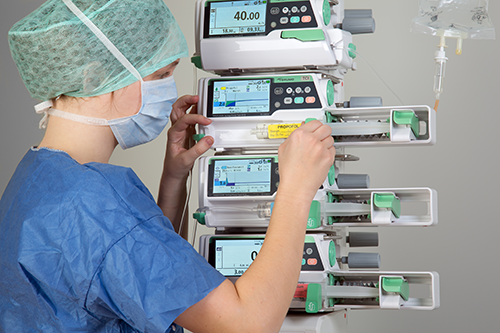
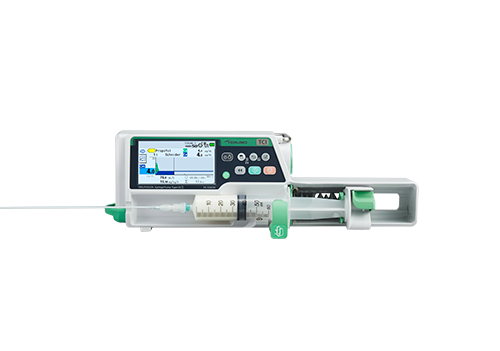
Terufusion Open TCI Pump
A clear view of infusion
Terumo used its many years of experience in TCI to develop a state-of-the-art TCI model. Terufusion OTCI pump was developed with leading anesthesiologists and incorporates Terumo’s intuitive interface, menus and color screen providing speed, accuracy and enhanced patient safety.

Characteristics
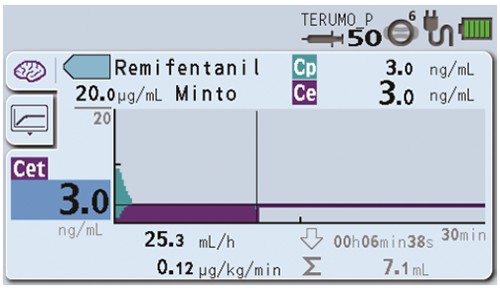
All-in-one information on the big color screen
Terufusion™ OTCI-pump helps healthcare professionals to see all relevant information at a glance
Easy monitoring of Cp and Ce1
The clear colored graphs allow the doctor to monitor the plasma and effect-site concentration ensuring the well-being of the patient.
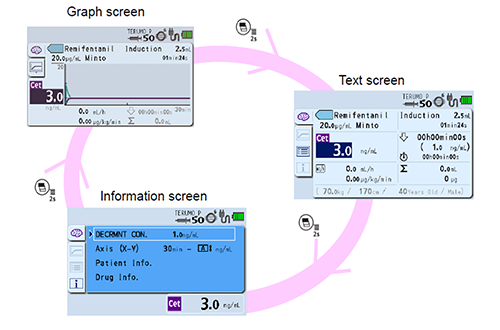
All relevant information displayed in different formats
When the Terufusion pump is running in TCI-mode, the healthcare professional can easily switch between 3 different views: graph screen, text screen or information screen according to his/her need.
Automatic and customizable graph axis scales
The scales of the axis can be adapted to allow easy interpretation.
Changing decrement concentration
The decrement concentration can be easily changed to optimize the workflow.
Preparation
Video instructions
General specifications
Completing the line-up with syringes and accessories, such as Racks, Terufusion™ Advanced Infusion System is a comprehensive and reliable partner for infusion management optimization.
Racks
A balanced and continuous infusion of multiple medications is often imperative to optimize patient treatment.
Internal communication between Terufusion™ pumps (Smart) stationed in a Terufusion™ communication rack system provides special functions like piggy back and take over mode for a balanced continuous infusion.
When the pump is attached to the rack, only 1 power cable will supply up to 9 pumps in one rack.
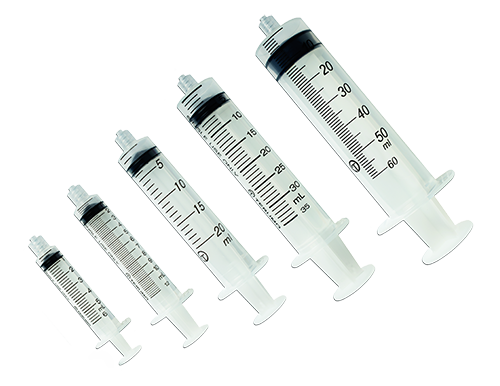
Terumo Luer-Lock Syringes
Carefully selected materials – not made with PVC or natural rubber latex – together with a controlled production process result in products of excellent quality and performance.
An error has occured in Item Specifications Section of Product Detail page:
Message: There is no row at position 0.
StackTrace: at System.Data.RBTree`1.GetNodeByIndex(Int32 userIndex) at System.Data.DataRowCollection.get_Item(Int32 index) at Uniway.Hayabusa.Webparts.CONTROLTEMPLATES.TCS.Hayabusa.UserControls.ProductDetail.getItemSpecifications(String productId, StringBuilder& navigation, String locale, String nodeId)
